
Upload your list, choose a DLT-approved template and reach thousands of customers in minutes, all from your browser. Live delivery reports, scheduling and volume pricing from ₹0.12 per SMS plus GST.
The person sending your SMS campaigns is usually not a developer. It's the clinic receptionist, the school accounts clerk or the marketing executive with a list of 3,000 leads and a deadline. They need a screen that makes sense on day one.
That's what a good panel does. It hides the telecom plumbing (routes, DLT scrubbing, operator hand-offs) behind a few clear steps: upload, choose, check, send. Then it shows exactly what happened to every message, so nobody has to guess whether the fee reminder went out.
We've been setting up SMS accounts for Indian businesses since 2016. This page walks through how our panel works, what it costs, when you should use the SMS gateway API instead, and what to check before you pick any provider.
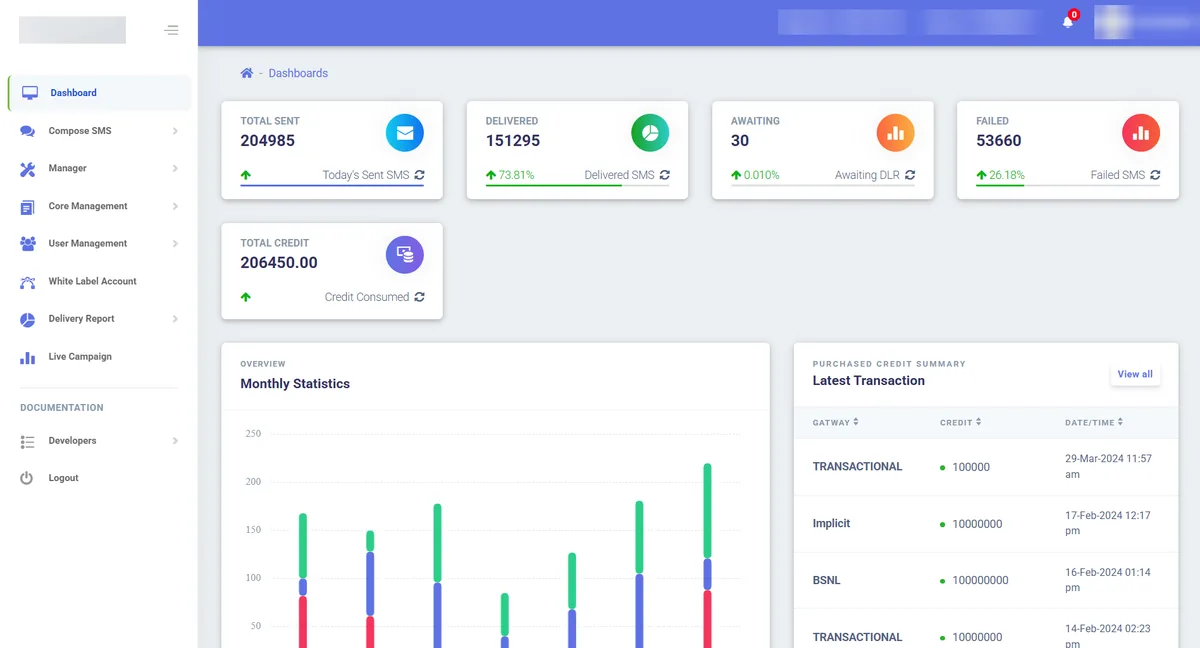
| What you need to know | MetaReach panel |
|---|---|
| Access | Web-based; works in any modern browser on desktop or mobile, nothing to install |
| Contact upload | Excel or CSV import, pasted numbers or a saved contact group; built-in count and duplicate removal |
| Routes | Promotional, transactional, service and OTP, each with its own balance |
| Compliance | TRAI/DLT-compliant; sends only against your registered sender ID and templates |
| Sender ID | DLT-registered 6-character alphanumeric header |
| Send modes | Quick Send, Unicode SMS, Personalize SMS and Personalize Split SMS |
| Languages | English plus Hindi and other Indian scripts via Unicode |
| Scheduling | Send now or set a future date and time |
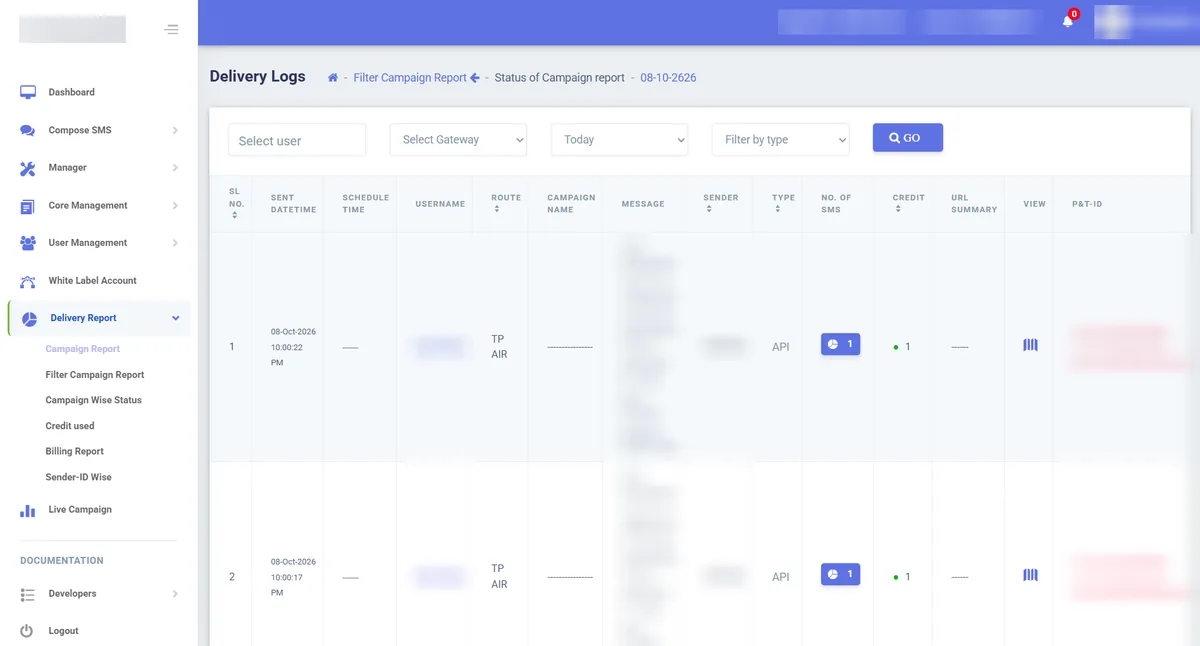
| Reports | Sent, Delivered, Awaiting and Failed per campaign, plus campaign-wise status, credit used, billing and sender-ID-wise reports |
| Link tracking | Trackable short URLs with click-throughs visible in the dashboard |
| Automation | API access included on the same account and credits |
| Price | ₹0.40/SMS (5,000+) down to ₹0.12/SMS (1 lakh+), plus 18% GST; no panel or setup fee |
| Free trial | 99 SMS credits, no credit card |
| Reseller option | White-label panel with your own logo, domain and client pricing |
A panel fits anyone who sends SMS in batches, by hand. Typical users include:
If your messages are triggered by software rather than a person, such as login OTPs or "your order has shipped" alerts, you'll want the API as well. More on that choice below.
Once your DLT registration is approved and the panel is active, a typical campaign takes a few minutes to set up:
First time? The most common reason a campaign "sends" but never arrives is a text that doesn't exactly match the approved template. See our DLT template examples before you register yours, and the delivery report error code guide if something fails.
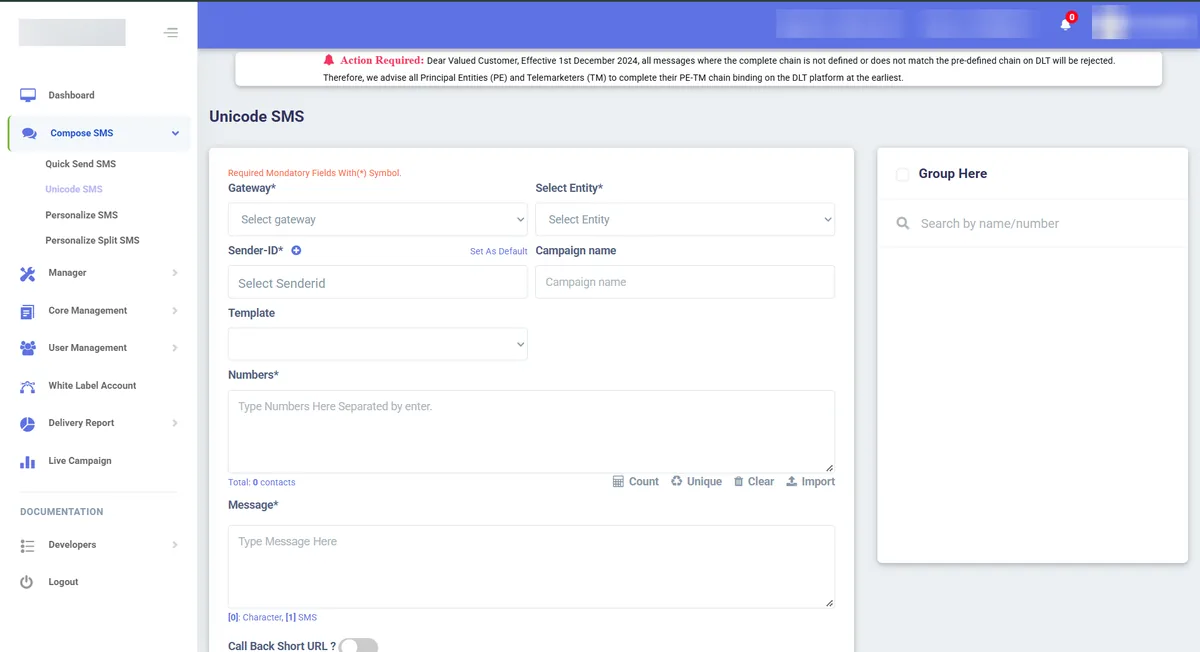
Import lists from Excel or CSV, save them as groups and tick a group next time. Count and Unique buttons catch duplicates before you send.
Personalize SMS and Personalize Split SMS put each recipient's own name, amount or due date into the template, so one campaign can carry different details for every number.
Only your approved templates appear, which cuts the "rejected at scrubbing" failures that hit free-typed messages.
Prepare Monday's reminder on Friday evening. The panel sends it at the time you set.
Sent, Delivered, Awaiting and Failed counts per campaign, plus a per-number report you can download and share.
Wrap links in trackable short URLs and see click-throughs in the dashboard, so you know which offers worked.
Unicode sending for Hindi, Marathi, Tamil, Bengali and more. Register the template in that language first.
Promotional and transactional credits are tracked separately, so a big offer blast can't drain the balance your alerts depend on.
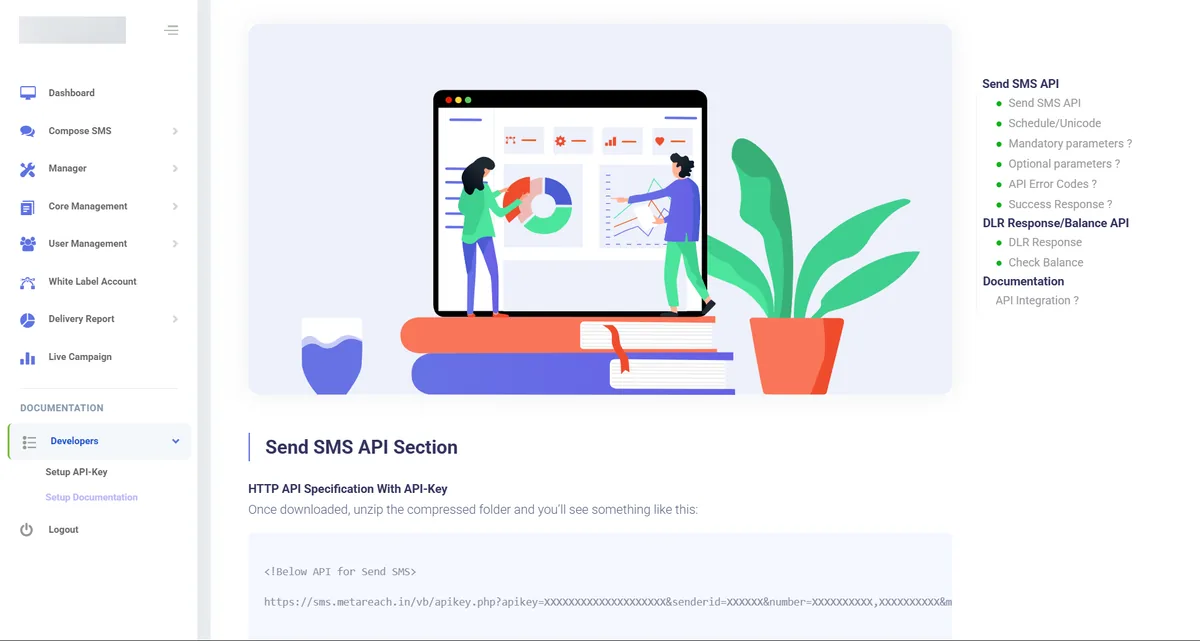
When you're ready to automate, use the same credits through the SMS API. There's no second contract.
Credit used, billing history and sender-ID-wise volumes in one place, so finance gets its numbers without chasing the marketing team.
All three send through the same network routes and cost the same per SMS. The difference is who, or what, presses "send".
| Factor | Web panel | HTTP SMS API | SMPP |
|---|---|---|---|
| Who sends | A person on your team | Your website, app or CRM, automatically | Your high-volume platform, automatically |
| Best for | Campaigns, reminders, notices, one-off announcements | OTPs, order alerts, payment confirmations | Banks, large e-commerce, aggregators |
| Skills needed | None | Basic developer | Experienced developer, SMPP client |
| Setup time after DLT | Log in and send | Usually a few hours of integration | Bind setup and IP whitelisting |
| Learn more | This page | SMS gateway India | SMPP connectivity |
Most businesses end up using two of the three. Marketing works in the panel and the product team wires OTPs into the OTP API, all on one account.
The DLT category is set by your sender type, the message purpose and the use case, and it decides whether DND applies. Choosing the right template in the panel is how you choose the category.
| Type | Example from the panel | DND and timing |
|---|---|---|
| Promotional | "Flat 30% off this weekend at our Sector 18 store" | Filtered against DND; sent only within the permitted daytime window |
| Transactional | "Rs 2,450 received against invoice 1182. Thank you." | Generally not subject to promotional DND preferences when correctly registered |
| Service (implicit) | "Your appointment with Dr Mehta is at 11:30 AM tomorrow" | For existing customers under the service category |
| Service (explicit) | Updates to customers who gave recorded consent | Depends on valid consent captured through DLT |
| OTP | Usually sent by API, but test OTPs can be sent from the panel | Generally not subject to promotional DND preferences under the applicable non-promotional category |
Not sure where your message fits? The transactional and service SMS guide breaks down each category with examples.
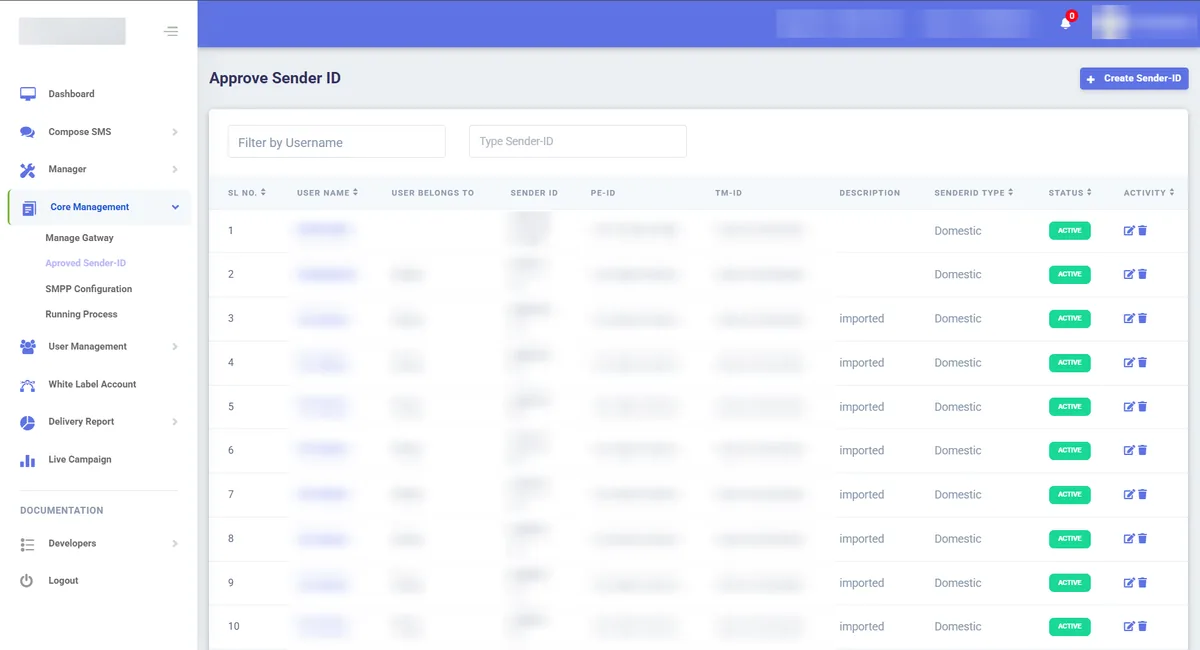
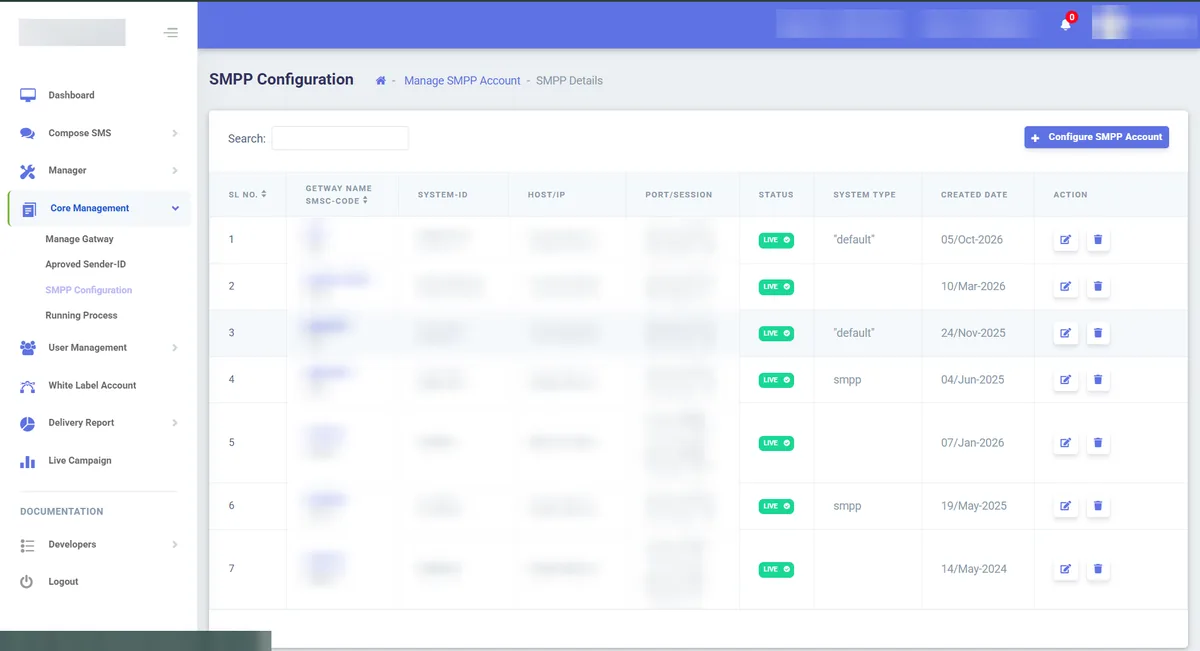
Every sender ID on the platform is mapped to its Principal Entity ID (PE-ID) and Telemarketer ID (TM-ID). That mapping is the PE-TM chain operators now check before accepting a message. Our team also monitors each gateway connection's status, so routing problems are caught on our side rather than in your reports.
Fee due dates, PTM invites, exam timetables and holiday notices, scheduled in advance. See SMS for educational institutions.
Festive offers, new-arrival alerts and loyalty reminders to past buyers, with short links to track who clicked.
Site-visit invitations and project launch updates to enquiry lists. More in our guide to SMS for real estate leads.
Appointment confirmations and "report ready" notices, kept free of clinical details.
Service due reminders, insurance renewal nudges and test-drive invitations, uploaded straight from the DMS export.
Sale announcements from the panel, while order updates and abandoned-cart reminders run through the API.
If you're a digital agency or IT company, your clients will eventually ask you for SMS. Building operator connections and handling DLT yourself isn't worth it. A reseller panel lets you sell SMS under your own brand while we run the infrastructure.
Full details, economics and onboarding steps are on our white-label bulk SMS reseller page. Want to resell more than SMS? Our white-label messaging programme covers OTP, WhatsApp and IVR as well.
There's no monthly panel fee and no setup charge. You only buy SMS credits, at published volume slabs: ₹0.40 per SMS at 5,000 SMS down to ₹0.12 from 1 lakh SMS, plus 18% GST.
| Volume | Rate per SMS | Example cost |
|---|---|---|
| 5,000 – 9,999 SMS | ₹0.40 | 5,000 SMS = ₹2,000 + GST |
| 10,000 – 19,999 SMS | ₹0.30 | 10,000 SMS = ₹3,000 + GST |
| 20,000 – 49,999 SMS | ₹0.20 | 25,000 SMS = ₹5,000 + GST |
| 50,000 – 99,999 SMS | ₹0.15 | 50,000 SMS = ₹7,500 + GST |
| 1,00,000 – 5,00,000 SMS | ₹0.12 | 1,00,000 SMS = ₹12,000 + GST |
| Below 5,000 or above 5,00,000 | Custom quote | |
See every plan on the pricing page, or compare market rates in our bulk SMS price guide.
DLT registration and the rules on promotional timing and DND come from TRAI's Telecom Commercial Communications Customer Preference Regulations, 2018. You'll find them on the TRAI website. If you're registering on Jio's DLT portal, its content template user guide is worth a read.
Most panels look alike in a demo. The differences show up in your third campaign, when something fails and you need to know why. Check these before you pay:
Comparing channels as well as providers? Read WhatsApp marketing vs bulk SMS and bulk SMS vs RCS.
Changing even one fixed word of an approved template causes a scrubbing failure. Only the variable parts can change.
Duplicates, landlines and 9-digit numbers waste credits. Clean the list in Excel before upload, and keep last campaign's failures out.
A 165-character offer is two SMS. Trim it, or budget for double credits. Hindi text hits the limit at 70 characters.
Scheduling an offer for 10 PM means it won't go out as planned. Keep promotional sends in the daytime window.
Lists with many DND numbers? Our DND filter service separates them before a promotional send, so you don't pay for blocked messages.
These are common patterns from onboarding calls, described in general terms rather than as specific client results.
Export the current pending-fee list from your ERP, check the recipient numbers and select the matching approved SMS template. Preview the amount and due-date fields before sending. Before a follow-up, export the latest list again and remove students whose payments have been received.
See the school fee reminder SMS workflow.
Import the appropriate customer group, select the approved promotional template and review the message preview. Check the final text with the SMS character counter, then review the schedule and delivery report for the campaign.
Use the promotional SMS service guide to plan marketing messages separately from customer service notifications.
Prepare a current list of patients whose reports are ready and send the matching approved notification. Keep clinical findings out of the SMS. Review delivery status and check failed messages before arranging a follow-up.
Use the SMS delivery report error guide to investigate failures.
Upload, choose, preview, send. Most new users run their first campaign without a training call.
From ₹0.40 down to ₹0.12 per SMS plus GST, with no panel fee and no setup fee.
We review your template wording before submission, which is where most first-time rejections happen.
Start manual, automate later with the messaging API. It's one account and one balance.
WhatsApp Business API, RCS, voice and IVR from the same team.
The MetaReach panel is a web SMS panel: a bulk SMS application you open in a browser, with nothing to install. It works as an SMS marketing panel for campaigns and as a bulk SMS control panel for your account, templates and reports.
No. It is a web SMS panel that runs in your browser, so there is nothing to download or install. For sending from your own software, use the SMS API instead.
A bulk SMS panel is a web-based dashboard where you upload a contact list, choose an approved message template and sender ID, and send or schedule SMS to thousands of numbers at once. It also shows delivery reports for every campaign. No coding or software installation is needed, as the panel runs in a browser.
MetaReach does not charge separately for panel access. You pay for SMS credits only, in volume slabs from ₹0.40 per SMS at 5,000 SMS down to ₹0.12 from 1 lakh SMS, plus 18% GST. The DLT entity fee charged by some operator portals, commonly ₹5,900 including GST, is the only cost outside the pack.
Yes. TRAI rules require every business sending commercial SMS in India to register its entity, sender header and message templates on an operator DLT platform. The panel only sends messages that match your approved templates. MetaReach helps you prepare and file your DLT registration at no extra charge.
Yes. You can upload contact numbers from an Excel or CSV file, or paste them directly into the panel. Keep numbers in a single column, in 10-digit format or with the 91 country code, and remove duplicates before uploading so you don't pay twice for the same recipient.
Yes. You can send a campaign immediately or schedule it for a future date and time. Scheduling is useful for fee reminders, event alerts and offers. Promotional SMS must still go out within the TRAI-permitted daytime window, so schedule promotional campaigns accordingly.
For every campaign the panel shows Sent, Delivered, Awaiting and Failed counts, and a per-number status you can download. Use the report to clean failed numbers from your list and to prove delivery when a customer says they never received a message.
Yes. The panel supports Unicode, so you can send messages in Hindi and other Indian languages, provided the template is registered in that language on DLT. A Unicode SMS segment holds 70 characters instead of 160, so regional-language messages use more credits.
The panel is for people: your team logs in, uploads a list and sends campaigns by hand. The API is for software: your website, app or CRM sends messages automatically when an event happens, such as an OTP or order update. MetaReach accounts include both, on the same routes and the same pricing.
Yes. Agencies and IT companies can get a white-label reseller panel with their own logo and domain, their own pricing for clients, user management and full API access. MetaReach runs the routing, DLT compliance and network connectivity in the background.
Yes. MetaReach gives 99 free SMS credits so you can log in, upload a small list, send a test campaign and check the delivery report before you buy a pack. No credit card is required.
The quickest way to judge any panel is to use it. Send your first test campaign with free credits, check the delivery report, and decide from there.
Get 99 free SMS, upload a small list and see the delivery report for yourself. Or book a short demo and we'll set up your first campaign with you.
From startups to enterprises — brands that grow with MetaReach














































