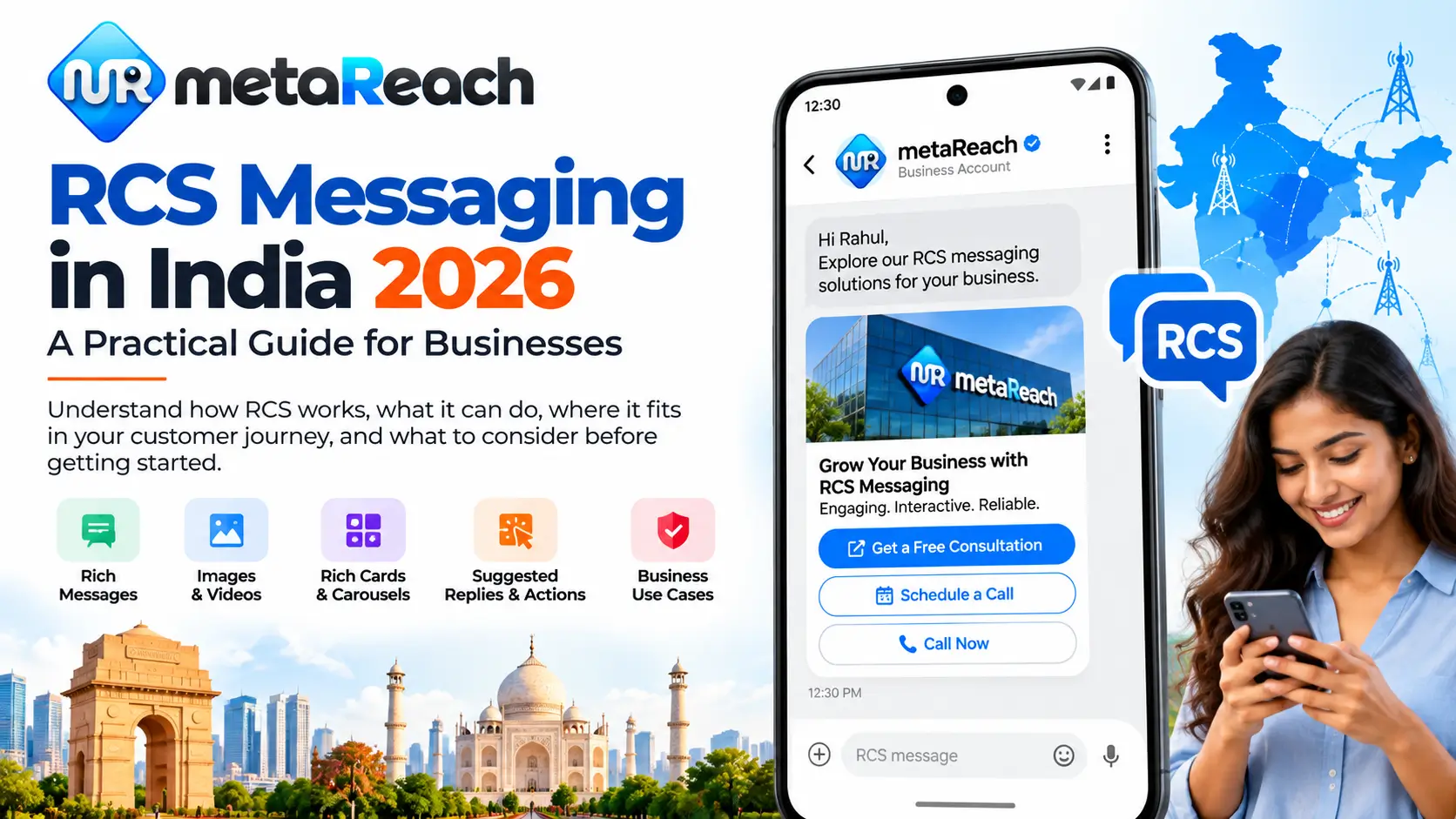
RCS (Rich Communication Services) lets a business send branded, interactive messages, with rich cards, carousels, media, suggested replies and action buttons, inside a supported messaging app. It is not available to every recipient, so a sensible RCS rollout in India starts with three things: a clear use case, an understanding of how recipient capability is checked, and a fallback plan for people who can't receive RCS.
Ask most people how they last heard from a brand and the answer is usually a text message. A one-time password. A delivery update. A sale alert with a shortened link they weren't sure they should tap.
That plain-text format has served Indian businesses well for years, and it still does. But customers now spend their day inside apps that show pictures, buttons and branded profiles, and a bare line of text with a URL can feel a little out of step next to them.
This is the gap RCS is trying to fill. With RCS for Business, a brand can send text, images, video, rich cards and suggested replies or actions, depending on the recipient's device, network and the configuration in place (Google for Developers).
What RCS is not is a switch you flip to upgrade every SMS campaign overnight. Before you commit budget, you need to understand who can actually receive it, what it's best used for, how it plugs into your systems, and what happens when it can't be delivered. That's what this guide covers.
What Is RCS Business Messaging?
RCS is a messaging standard built to do more than traditional SMS can.
In business messaging, your brand is represented by an RCS agent, essentially your brand's identity inside a supported messaging app. Depending on how it's implemented, the conversation can show your brand name, logo and profile details, and it can support interactive message formats rather than text alone.
Businesses use RCS for things like:
- Customer notifications and account updates
- Transactional messages tied to an order, booking or payment
- Promotional campaigns that benefit from visuals
- Conversational journeys where the customer replies or taps an option
The simplest way to think about it: RCS isn't "SMS with a picture attached." Done well, it's a small, interactive experience that lives inside the messaging inbox.
What Can an RCS Message Include?
RCS for Business supports several formats you can combine depending on what the message needs to do.
| Element | What It Does | Where It Helps |
|---|---|---|
| Text | Standard written message content. | Updates, confirmations, short explanations. |
| Media | Images, video or files shown inside the conversation. | Product visuals, property photos, event creatives. |
| Rich cards | A single card combining media, a title, a description and buttons. | Featuring one product, offer or booking. |
| Carousels | A horizontally scrollable set of rich cards. | Showing several products, plans or options side by side. |
| Suggested replies | Tap-to-send responses the customer can choose from. | Quick confirmations, simple menus, guided support. |
| Suggested actions | Buttons that trigger an action, such as opening a URL. | Sending the customer straight to the right landing page or next step. |
Here's a practical example. A regular promotional SMS might say: "Festive offer live, shop now," with a link underneath. The RCS version of that same campaign could show the product image, a short description and a "View offer" button that opens the exact product page. The customer sees what's on offer before deciding to tap.
How it looks on the customer's phone will still depend on the format you choose and the environment they're receiving it in, so it's worth testing on real devices before any large send.
How Is RCS Different From SMS?
SMS is still one of the most dependable channels a business has. It doesn't need a rich interface, and it works on practically any phone.
RCS adds a layer on top. Where SMS mostly carries text and links, RCS can carry a branded, interactive experience. That makes the two channels suited to different jobs, not rivals where one has to replace the other.
| Consideration | SMS | RCS Business Messaging |
|---|---|---|
| Content | Text and links | Text, media, rich cards, carousels, suggested replies and actions |
| Brand presence | Sender header | Agent with brand name, logo and profile information (implementation dependent) |
| Interactivity | Customer reads, then taps a link or replies by text | Customer can tap replies or action buttons inside the conversation |
| Recipient requirement | Works on practically any mobile phone | Recipient must have RCS capability and the agent must be available to them |
That last row is the one that matters most when you're planning.
If an RCS message can't be delivered, because the recipient doesn't have RCS capability or the agent isn't available on their network, the RCS platform can return an error. It's then up to your own messaging setup to decide what to do next (Google for Developers).
So the smarter way to plan RCS is as one part of a multi-channel messaging setup, rather than assuming every customer will see the same rich experience. If you want a deeper side-by-side, our guide on RCS vs SMS for Indian businesses goes into more detail.
RCS Availability: What Indian Businesses Should Understand
You'll sometimes see RCS reach quoted as a single, neat percentage. Treat that with caution.
Whether a specific customer can receive your RCS message depends on several things working together:
- The messaging app they use
- Their device and how it's configured
- Whether RCS is switched on
- Network availability
- Whether your business agent is available in that user's environment
Because any of these can vary from one person to the next, a campaign plan should account for recipient capability instead of assuming everyone on your list is reachable over RCS.
When you speak to a provider, two questions are worth asking upfront: How do you determine whether a recipient can receive RCS? And what exactly happens when an RCS message can't be delivered? The answers will tell you a lot about how well a campaign will actually perform. For a closer look at the device side, see our RCS supported devices guide for India and the RCS coverage overview.
Where RCS Can Be Useful for Businesses
RCS can fit into several stages of the customer journey. A few examples of where it tends to make sense:
Retail and e-commerce
Product carousels, order-related updates and interactive shopping journeys, where seeing the product matters as much as reading about it.
Real estate
Project details, property imagery and actions like "Book a site visit" for prospects who have already shown interest.
Travel
Richer booking-related messages and promotional offers that benefit from destination visuals.
Financial services
Suitable transactional and authentication use cases can be considered, subject to applicable regulatory requirements and platform rules.
Customer support
Suggested replies and actions can cut down the number of steps a customer has to take during a supported conversation, such as choosing an issue type with a tap instead of typing it out.
The right approach depends on your business, the purpose of the message, the platform's rules and the journey you're designing. A good use case for one brand can be the wrong one for another.
RCS Business Messaging vs WhatsApp Business Messaging
Both channels offer richer business-to-customer messaging, and that's where people tend to lump them together. They aren't the same thing.
- WhatsApp business messaging runs inside the WhatsApp ecosystem and follows Meta's platform requirements.
- RCS business messaging runs through supported RCS messaging environments and agents.
So instead of asking, "Should we use RCS or WhatsApp?", a more useful question is:
"Which channel should handle each stage of our customer journey?"
A lot of businesses end up with a mix: SMS for some interactions, RCS for rich promotional moments, WhatsApp for ongoing conversations and voice where a call works better. Our RCS vs WhatsApp Business API comparison breaks this down further.
How RCS API Integration Works
If you need messages to go out automatically, triggered by an order, a booking or an account event, RCS can be integrated with your application, CRM or backend.
Google's RCS for Business platform provides APIs for agents and messaging. Partner setup involves authentication and webhook configuration so your system can receive messages and events (Google for Developers).
A typical flow looks like this:
Delivery status and customer interactions, such as replies or button taps, can then be passed back and handled through the supported API and webhook setup.
The practical benefit is that RCS becomes part of your existing communication workflow, rather than something a team member has to start manually each time. The technical steps are covered in our RCS API integration guide.
Don't Forget the Fallback Strategy
If there's one part of an RCS rollout that gets underestimated, it's this one.
A common assumption: "If RCS isn't available, the message will automatically go out as SMS." That shouldn't be taken for granted.
Google's documentation explains that when a user's device doesn't support RCS, or RCS isn't enabled, the platform can return an error, and the sender can then try another way of reaching that person using fallback mechanisms defined in its own infrastructure (Google for Developers).
In other words, the fallback is something you design, not something that simply happens. Your messaging setup should spell out what happens when RCS can't be used, for example which channel takes over, what that message says, and whether it's sent immediately or after a delay.
Depending on the use case and how your system is built, another supported channel can then be used to reach the customer.
What Should a Business Check Before Starting RCS?
Before you deploy RCS, work through this checklist:
- Business use case — Is it transactional, promotional, authentication or another supported scenario?
- Agent and brand setup — Understand the onboarding and launch process that applies to your agent.
- Recipient eligibility — Decide how RCS capability will be checked and handled.
- Message experience — Does the journey need plain text, rich cards, media, suggested replies or actions?
- Integration — Does messaging need to connect to a CRM, website, app or backend?
- Fallback strategy — What happens when the RCS experience isn't available?
- Measurement — Which messaging and customer-interaction events actually matter for this campaign?
It's worth knowing that Google's RCS for Business setup itself separates agent use cases into categories such as OTP, transactional, promotional and multi-use (Google for Developers). Getting clear on your use case early makes the rest of the setup smoother. If budget is part of the conversation, our RCS pricing guide for India explains how costs are typically structured.
Not sure which of these boxes your business already ticks?
Our team can walk through your use case, integration needs and fallback plan with you. Request an RCS consultation.
RCS Should Be Part of a Messaging Strategy
The real opportunity with RCS isn't just sending a better-looking message. It's designing a better customer journey.
One business might use one channel for authentication, another for rich promotional experiences and a third for ongoing customer conversations. The right combination depends on the customer's situation, which channels are available to them, and what each message is meant to achieve.
For Indian businesses exploring RCS, the best first step is to get clear on the use case and the technical requirements. Once those are settled, choosing the campaign setup becomes a much easier decision.
Explore Meta Reach's RCS Resources
Keep going with these guides:
- RCS Messaging Services in India →How Meta Reach helps businesses plan and run RCS campaigns.
- RCS Coverage India →What affects whether customers can receive RCS messages.
- RCS Supported Devices India 2026 →Device and app compatibility explained.
- RCS API Integration Guide →Connecting RCS to your CRM, app or backend.
- RCS Pricing India 2026 →How RCS messaging costs are structured.
This article is for general information and reflects publicly available Google for Developers documentation on RCS for Business as of October 2026. Platform capabilities, onboarding requirements and availability can change, so check current documentation and confirm details with your messaging provider before launching a campaign.