How Google's RCS platform works for Indian brands: the RBM agent, Google verification, billing categories and Wallet links, with SMS fallback for customers who can't receive RCS.
 Verified Sender
Google RCS Business Messaging is what lets a brand send verified, rich messages to a customer's default messaging app. This page explains the parts that are specific to Google. For our full service, see our RCS messaging service.
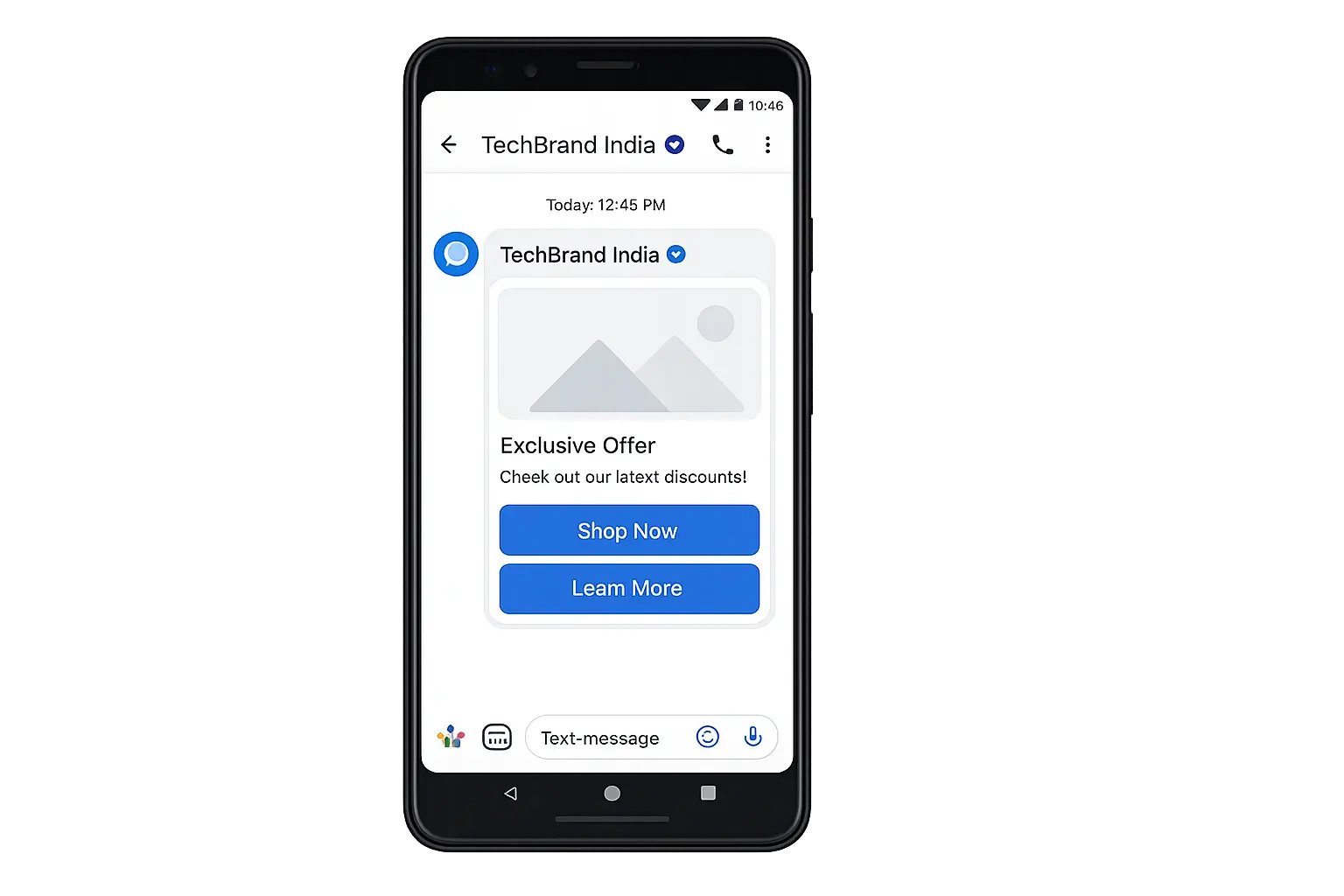
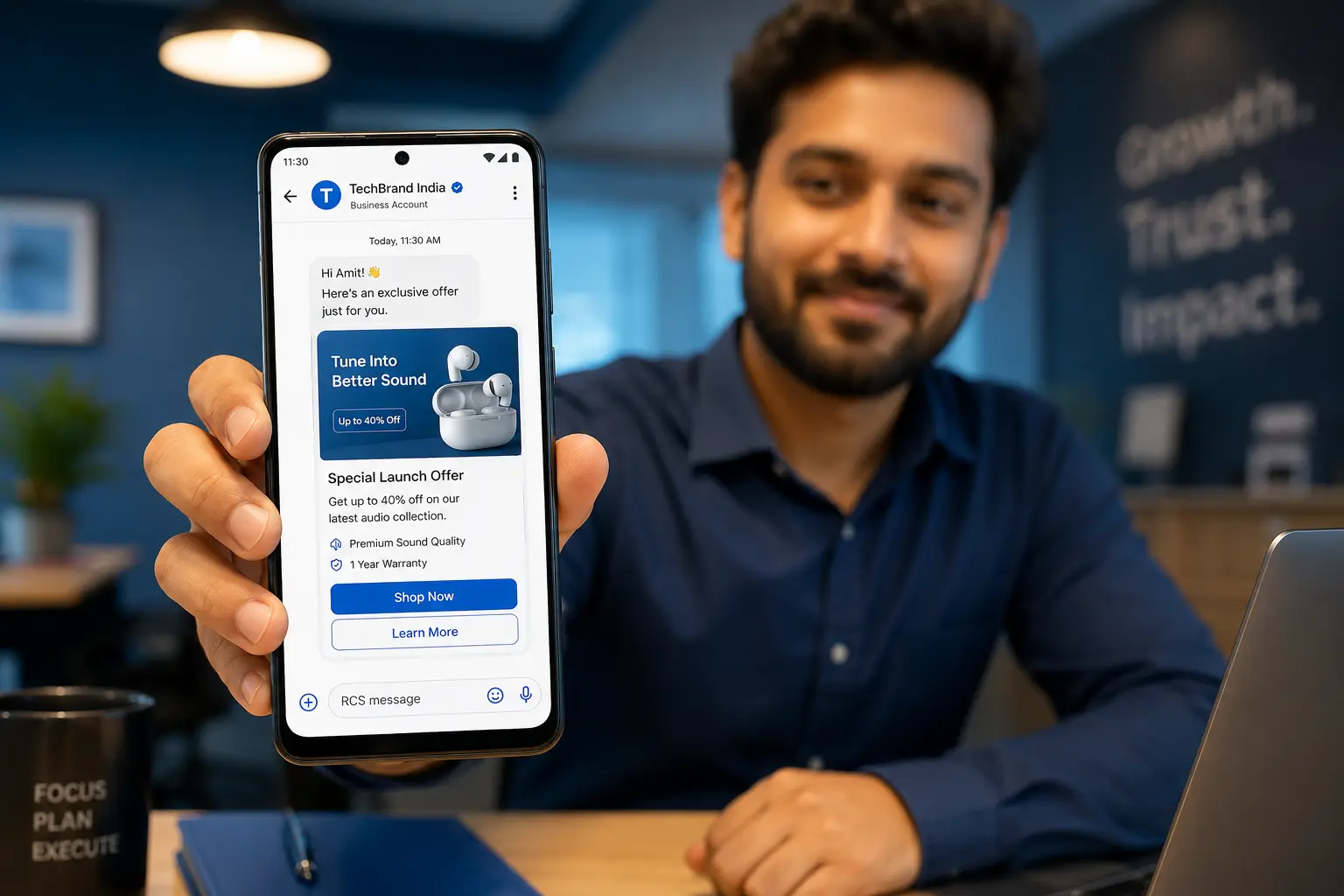
RCS Business Messaging (RBM) is Google's platform for business RCS. Your brand gets an "agent": a verified profile with your name, logo, colour and contact details. Messages from the agent show that verified identity in Google Messages, and on iPhones where the operator supports it.
Google verifies the brand, operators approve the launch, and a provider such as MetaReach builds and sends the messages through the RBM API.
See Our RCS Messaging ServiceA short comparison. For more detail, read RCS vs SMS.
| Feature | Google RCS | Plain SMS | |
|---|---|---|---|
| Sender Identity | Verified agent | DLT-registered header | Verified business profile, where approved |
| Rich Media (images, video) | Yes | No (text only) | Yes |
| Interactive Buttons | Yes (native) | No | Yes (template) |
| Product Carousels | Yes | No | Limited |
| Requires App Download | No | No | Yes (WhatsApp app) |
| Reach | Depends on operator, handset and app | Almost any mobile phone | Customers on WhatsApp who opted in |
Many businesses use RCS with SMS fallback: rich messages for customers who can receive them, plain SMS for everyone else. See our RCS service →
Your name and logo appear on the conversation after Google brand verification, so customers can see who is messaging them.
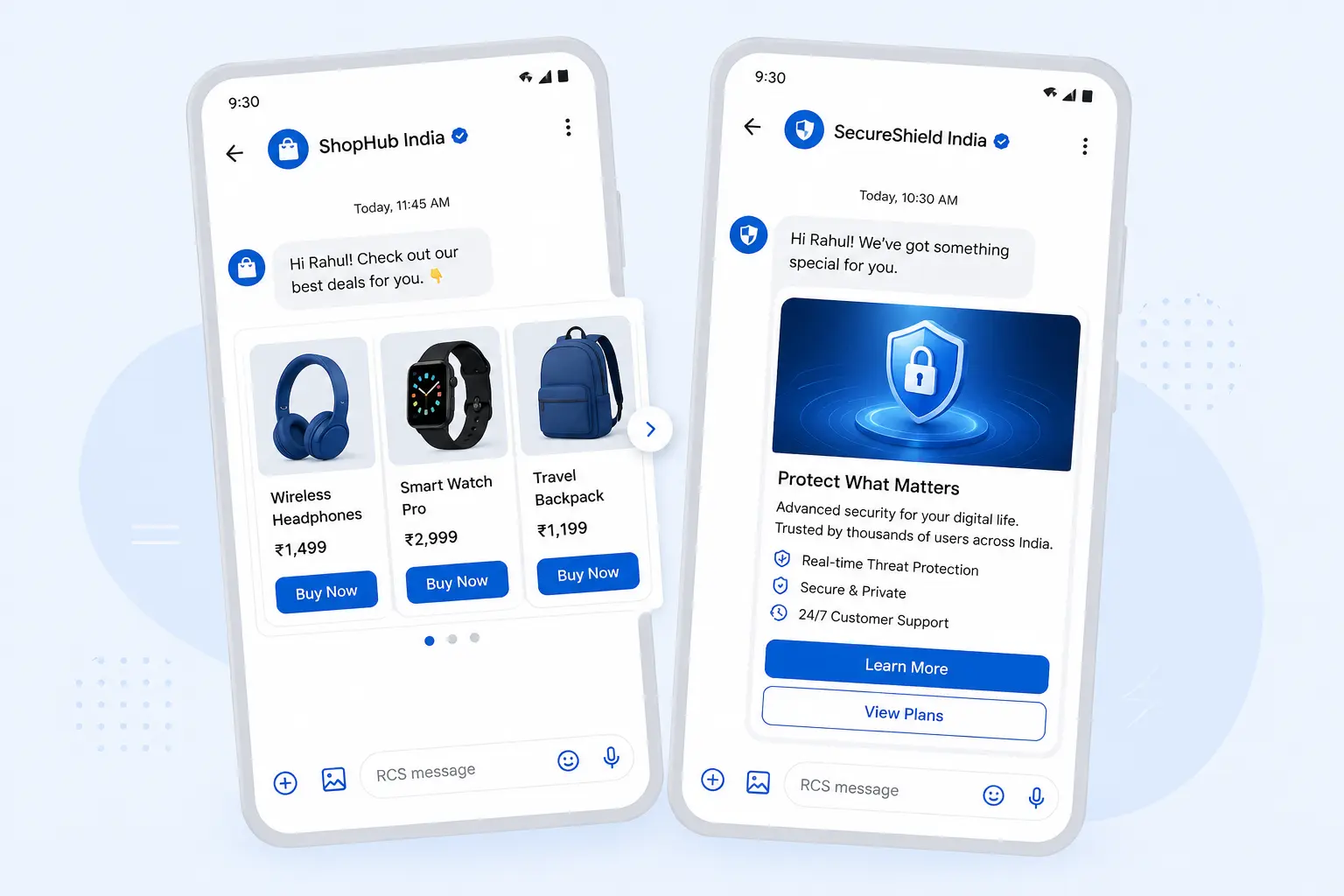
Combine an image, title, description and buttons in one card, or put several cards in a swipeable carousel.
Add suggested actions such as opening a link, calling or viewing a location. A "Pay now" button opens your payment page; the payment does not happen inside RCS.
Google documents an "Add to Google Wallet" button using an Open URL action that points to a pass. You need a Wallet issuer account and a pass first, so ask us about your use case.
See what was delivered and read. Read status only shows for customers who have read receipts switched on, so treat it as a partial signal.
Customers who can't receive RCS can get a DLT-registered SMS instead, where fallback is configured.
Different goals need different message formats.
Order confirmations, delivery updates, payment receipts and appointment reminders sent with your verified name and logo. Agents that mainly send one-way messages like these fall under Google's non-conversational category.
A carousel can show several products, each with an image, price and its own button, inside one message.
Two-way conversations using quick-reply buttons and structured flows. A bank could guide a customer through a service request step by step. Conversational agents are billed per 24-hour conversation.
An "Add to Google Wallet" button can link to a pass such as a boarding pass or ticket. The pass itself is created through your Google Wallet issuer account.
Currently sending plain SMS campaigns?
See what the same message looks like in Google RCS.Tell us your use case and we'll show you how it could look as a rich card, before you commit.
Request a Free RCS Demo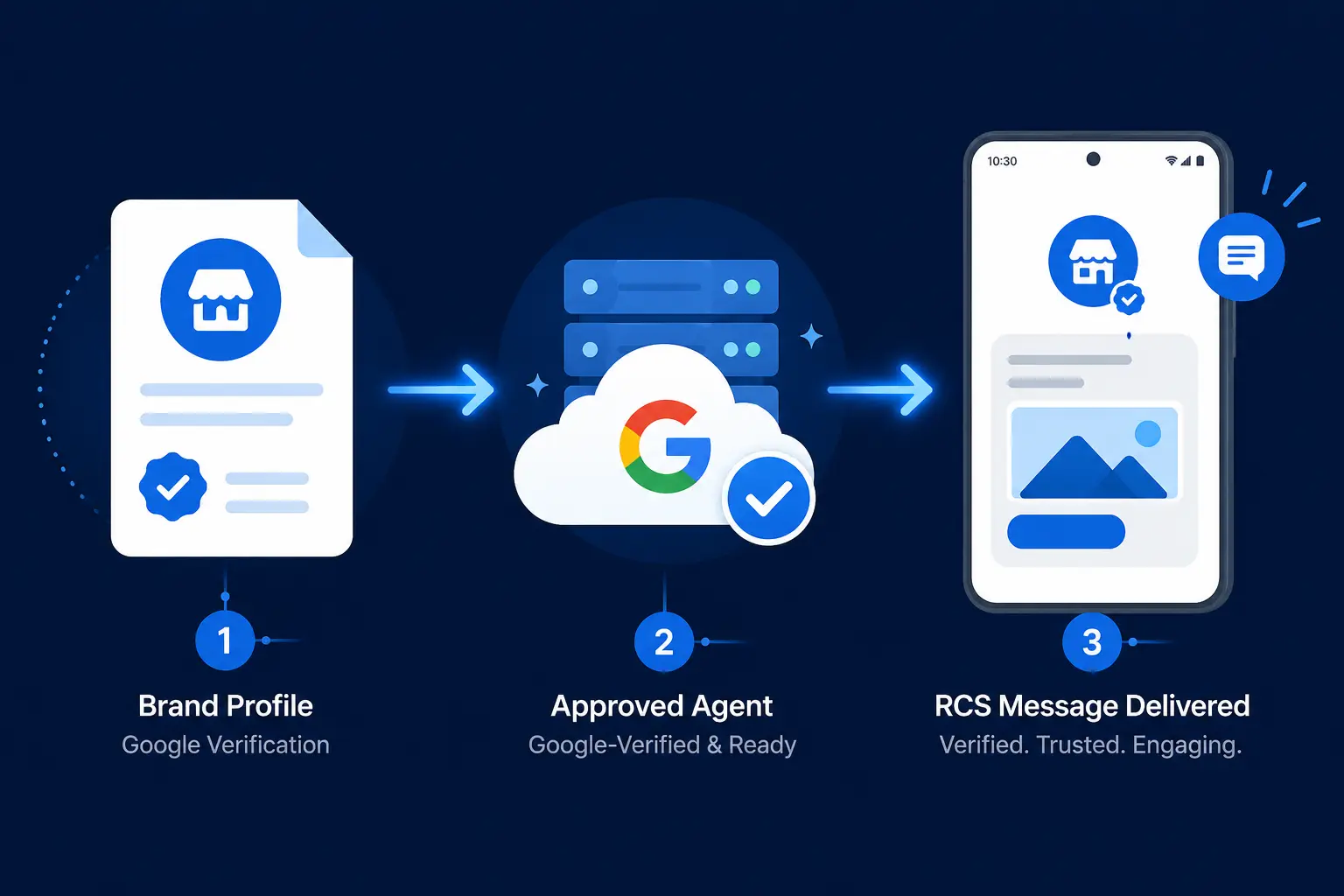
Brand name, logo (224 × 224 px), banner image (1440 × 448 px), brand colour, short description, website, support phone and email, and privacy-policy URL.
Google contacts someone at your company to confirm that the brand and agent are genuine. See our RCS verified sender guide.
The agent is approved for launch on Jio and, where available, Airtel and Vi.
We design your rich cards or carousels and register the SMS fallback on DLT.
We send test messages to your team's phones, then go live. If you send from your own systems, see the RCS API integration guide.
Google has two billing categories. Non-conversational agents are billed per message (this replaced the old "basic" and "single" message types). Conversational agents are billed per 24-hour conversation once the customer replies. What you pay in India is set by your provider and the operators; see RCS pricing.
MetaReach RCS is priced from ₹0.50 down to ₹0.30 per message by monthly volume, plus GST.
Four things affect who you can reach with RCS and what it costs. Check these before you plan a campaign:
For networks and handsets, see RCS coverage and RCS supported devices.
Example uses by sector. Results vary by audience, offer and how many customers can receive RCS.
Banking & Finance
Branded transaction alerts, loan carousels, investment portfolio updates, account alerts with action buttons
E-Commerce & Retail
Product carousels, sale announcements with Buy Now buttons, order tracking cards, abandoned cart recovery
Travel & Airlines
Wallet links for boarding passes, itinerary cards, check-in reminders, flight status updates with buttons
Healthcare
Appointment reminders with Confirm/Reschedule buttons, lab report notifications, medicine refill carousels
Food & QSR
Menu carousels with Order Now buttons, delivery tracking cards, loyalty point updates, promotional offers
Real Estate
Property carousels with floor plans, site visit scheduling with calendar buttons, payment milestone reminders
Fintech & Insurance
KYC update flows, policy renewal with Pay Now button, investment option carousels, claim status cards
Education
Course carousels, fee payment reminders with Pay button, exam schedule cards, admission offer messages
We help with Google verification, build your message templates and set up your fallback. Approval decisions stay with Google and the operators.
Rich card design, carousel layout, button setup and conversation flows, ready for your review before anything goes live.
Our team works from Sector Techzone-IV, Greater Noida, and launches RCS for businesses across India remotely. Support hours are Monday – Saturday, 10:00 AM – 6:00 PM IST.
We also provide Bulk SMS, WhatsApp Business API, OTP SMS and Voice Messaging, so your fallback and other messaging can sit with one team.
10+ years in business messaging (since 2016), serving 500+ businesses across India.
Still have questions? Call our team on +91-7669999219 or email info@metareachmarketing.com. We're happy to walk you through anything on a call.
Related Topics:
From startups to enterprises - brands that grow with MetaReach
































Guides, comparisons, pricing & city coverage - everything about RCS business messaging in India
Ready to launch your first RCS campaign? MetaReach handles setup end to end - go-live timing depends on brand/agent approval, carrier readiness and your creative or API setup.