Hospital IVR Appointment Booking System

Let patients book, reschedule and enquire about OPD appointments by phone, with multilingual menus, routing to the right desk and optional scheduling system integration.

QUICK ANSWER

Hospital IVR appointment booking answers patient calls with a recorded menu, so callers can book, reschedule or ask about appointments without waiting for a receptionist. Connected to the hospital's scheduling system, it can complete bookings itself; otherwise it routes callers to the right staff member or records a callback. It suits multi-specialty hospitals, clinics and diagnostic centres. MetaReach Marketing provides the IVR as part of its healthcare communication solutions.

How Hospital IVR Appointment Booking Works

  1. The patient calls the hospital's designated number.
  2. The IVR offers options in the supported languages.
  3. The patient selects a department, appointment or enquiry option.
  4. The booking is completed or handed over: through an integrated scheduling system, or by transferring the call to staff.
  5. The patient gets confirmation or next steps by SMS, WhatsApp or the call itself.

What happens at step 4 depends on the hospital's scheduling system and how the IVR is set up for it.
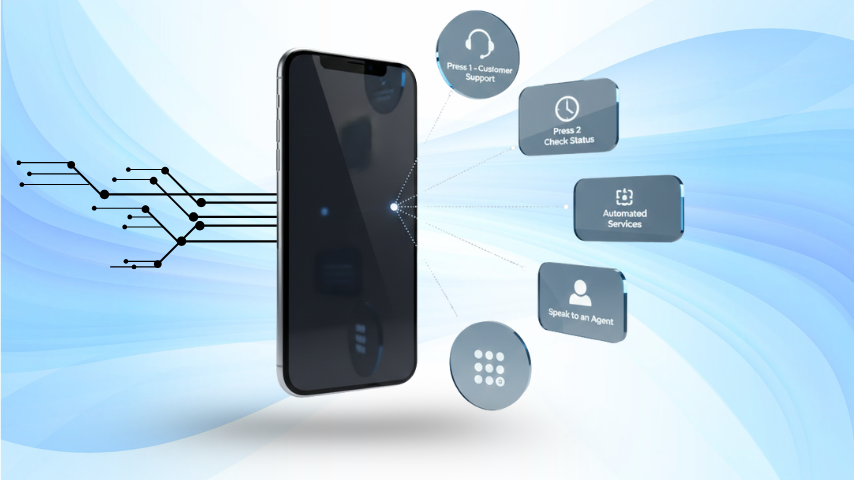
IVR menu on a phone screen showing numbered options for hospital appointment booking

Example Hospital IVR Call Flow

This is an example workflow to show how a menu can be structured, not a live customer implementation.

Welcome message → Language selection → Appointment booking → Department selection → Date and time selection → Booking confirmation

Other branches in the same menu

  • Reschedule: enter the booking reference or registered mobile number, then choose a new slot.
  • Cancel: confirm the cancellation so the slot can be offered to another patient.
  • Existing appointment enquiry: hear the date and time of an upcoming appointment.
  • Staff assistance: press 0 at any point to reach reception.

Hospital IVR Use Cases

  • OPD appointment booking: automated with scheduling integration, otherwise routed to the booking desk.
  • Confirmation and rescheduling: automated with integration; otherwise handled by staff.
  • Appointment reminder calls: automated outbound calls before each appointment, often paired with appointment reminder SMS.
  • Department-specific routing: fully automated, sending callers straight to cardiology, radiology or billing.
  • Lab report status enquiries: routed to the lab desk, or answered automatically if the lab system supports it.
  • Billing and general enquiries: routed to the right team, with recorded answers for common questions such as visiting hours.
  • Missed calls and callbacks: calls outside working hours can record a callback request; see missed-call booking for clinics.

Benefits for Hospitals

  • Less repetitive call handling at the front desk, since routine requests are routed or answered by the menu.
  • Better routing, because patients reach the right department instead of being transferred several times.
  • Easier access to appointment information outside front-desk hours.
  • One number that serves several departments.
  • Fewer unanswered calls, since callers can always leave a callback request.
  • More consistent information, because every caller hears the same recorded answers.

Results depend on your call volumes and how the menu is set up; we recommend measuring calls answered and missed before and after launch.

Integration with Hospital Systems

Support agent handling calls and chats through an IVR-connected system
  • Hospital management systems (HMS) and scheduling software: read free slots and write bookings, where the software offers an API or another supported method.
  • CRM platforms: log calls and callback requests against patient enquiries.
  • APIs and webhooks: pass call events and keypresses to your systems.
  • Call transfer and escalation: route to reception or department phones at any step.
  • Confirmations: SMS or WhatsApp confirmation after a booking or reschedule.

Not every HMS or scheduling platform can be connected. We assess compatibility with your system before deployment.

Security and Patient Information

  • Limit appointment details read out on calls to what the caller needs, such as date and time.
  • Verify the patient, for example with a booking reference or registered mobile number, before sharing appointment details.
  • Never read out diagnoses, test results or other medical details in automated calls.
  • Decide whether calls are recorded, how long recordings are kept and who can access them, and configure the IVR accordingly.

Implementation Process

  1. Understand your workflow: departments, call types and current booking process.
  2. Define the menu: options, languages, routing and transfer numbers.
  3. Assess integration: what your scheduling software and CRM can connect to.
  4. Configure and test: record prompts and test every branch of the call flow.
  5. Launch and monitor: go live and review call reports to refine the menu.

Timelines depend on your systems and the scope of the project, especially if scheduling integration is involved.

Hospital IVR in Practice

A typical multi-specialty hospital setup uses a short menu, press 1 for appointments, 2 for lab reports and 3 for billing, so routine calls reach the right desk without waiting for reception. Our healthcare communication case studies walk through this and other workflows as anonymised use cases. We publish client figures only when they are verified and the client has agreed.

Hospital IVR in Noida, Greater Noida and Delhi NCR

MetaReach Marketing works from Greater Noida and sets up hospital IVR for hospitals and clinics across Noida, Greater Noida and Delhi NCR, and remotely anywhere in India. IVR runs in the cloud, so no hardware is installed at the hospital; see our main IVR services page for numbers and plans, and WhatsApp API for healthcare for confirmations on WhatsApp.

Frequently Asked Questions

The patient calls the hospital's number and hears a menu in their chosen language. They pick appointments, then a department. Depending on the setup, the IVR either books a slot through the hospital's scheduling system or transfers the caller to the booking desk, and the patient receives a confirmation by SMS or WhatsApp.

Only when it is connected to the hospital's scheduling system, so it can read free slots and write the booking. Without that integration, the IVR captures the request, routes the call to staff or collects details for a callback. Which option is possible depends on your software and is assessed before deployment.

It can where the hospital management system or scheduling software offers an API or another supported integration method. Not every HMS supports this, so we review your system's integration options before deployment and agree what will sync automatically and what stays manual.

Yes, if the IVR is connected to the scheduling system: the patient enters their booking reference or registered mobile number and chooses a new slot or cancels. Without that connection, the reschedule option routes the caller to staff or records a callback request.

Yes. The call starts with a language choice, such as Hindi or English or a regional language, and the rest of the menu plays in that language. Each language needs its own recorded prompts, so plan the scripts for every language you offer.

Yes. Any menu can include an option to speak to staff, for example press 0 for reception, and calls can be routed to different desks for appointments, reports or billing. Outside working hours, the call can play a message or record a callback request.

Reminder calls are outbound voice calls scheduled before each appointment, for example the day before, with options to confirm or press a key to reach the desk. Many hospitals pair them with appointment reminder SMS. The timing and script are agreed during setup.

We need your departments and call routing, working hours, the languages you want, the menu script, staff numbers for transfers, and details of your scheduling software if you want automatic booking. A DID or toll-free number is set up as part of the IVR.

Request a Hospital IVR Demo

Multilingual menus · Department routing · Scheduling integration where supported

Request a Hospital IVR Demo WhatsApp Us Call +91-7669999219
Our Happy Clients

Trusted by Businesses Across India

From startups to enterprises - brands that grow with MetaReach

WhatsApp Facebook Instagram YouTube LinkedIn X / Twitter
☎ Instant Call Back FREE
or request a call back

We'll call you back within 5 minutes